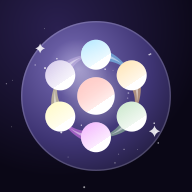
 SelfStatusBuild a status screen for your own life
In a role-playing game you can open a menu and see exactly what a character is
carrying — their gear, their skills, and what each piece actually does for them.
Real life has no such screen. You know what you like and what you are good at,
but it stays scattered across your head, never laid out in one place where you
can look at all of it at once.
SelfStatus gives you that screen. You write your own equipment — a skill, a
hobby, a value, a favorite record — give it an icon and a color, describe what it
does for you, and equip it onto a Cosmos Orb. There are no scores, no levels, and
no quiz that decides who you are. Everything on the screen is there because you
put it there. That constraint is the whole point: choosing the words for
something you care about, and then deciding where it sits next to everything
else, is where the thinking actually happens.
A loadout for the things you are into
Taste is easy to feel and hard to summarize. "I like this band" flattens years of
listening into four words. Equipment gives you more room: each thing gets a name,
an icon, a color, and a line about what it does for you.
What tends to work as equipment here:
- The series, artists, or games you are following right now
- The ones that shaped you and stay permanently equipped
- Things you are curious about but have not started yet
- Create an Orb and choose the Freeform template. It starts
nearly blank instead of handing you preset life categories, which is what you
want when the subject is taste rather than biography.
- Rename the categories to match how your interests actually divide.
"Currently following," "Hall of fame," and "On deck" tend to be more useful than
genre labels — you already know the genres.
- Add an item for each thing. Search the icon library by keyword, then give
each category a distinct color so the gems stay readable once they are packed
into the Orb.
- In the details, write what it does for you rather than what it is.
"Gets me through long train rides" carries more than "indie rock band."
- Equip the ones that are current. The icons pack together as you add them,
and the Orb's base color shifts with the number you have equipped.
One thing worth knowing before you start writing: the text you put in the Detail
field is never drawn into an exported image, in any layout. You can write the
sincere version there and still share the picture.
A profile card for social media
A profile picture says how you look. A bio says what you do. Neither says what
you are carrying. A status screen does — in one image, without asking anyone to
read a wall of text.
There are three export layouts, and they are for different situations:
- Orb Only — the sphere and its icons, nothing else. Reads as
a graphic and gives away no names at all, which is the right choice when the
point is the look.
- Title — adds the Orb name above the sphere, plus a count of
what is equipped. One word of context is often all a themed Orb needs.
- Detail — lists the categories and item names beside the
Orb. Best on a profile page where people will actually stop and read. This is
the only layout in which your item names leave the app.
- Create a second Orb just for the version you intend to show. Orbs do not
share categories, items, or equipped state, so the private one stays
untouched.
- Equip only what you are comfortable having on a timeline. This is easier
than editing afterwards, because nothing has to be deleted.
- Export in the layout that matches where it is going, and post it.
The gear you actually use
This is the use the metaphor fits most literally. Desk setups, everyday carry,
instruments, kitchen tools, camera bodies — things you own, chose deliberately,
and would defend. A list of product names says what you have. Equipment says why
each one earned its slot.
What tends to be worth an entry:
- The things you reach for every single day
- The ones you would replace immediately if they broke
- Purchases you still think were worth it years later
- Make an Orb for your gear, separate from any personal one. It doubles as a
record of what you owned and when.
- Split the categories by where things live rather than by what they are —
"Desk," "Bag," "Kitchen" — because that is how you actually reach for them.
- Search the icon library for the closest match. There is no photo of your
exact model in there, and it does not matter: the icon is a marker, and the name
carries the specifics.
- Put the reason in the Detail field. "Replaced a cheaper one that died in a
year" is the part you forget, and the part someone asking for a recommendation
actually wants.
- Unequip anything you have stopped using instead of deleting it. It stays in
the list, out of the Orb — which turns the Orb into what you use now, and the
list into what you have been through.
Note: SelfStatus is a creative self-expression tool, not a
diagnostic or assessment service. It does not analyze, score, or evaluate you —
everything shown on your status screen is written by you. It is not intended to
provide psychological, medical, career, or any other professional advice.
What else it does
| Cosmos Orb |
Equipped icons pack into a sphere in a symmetric hexagonal pattern. The
cosmic base color shifts with the number of items you have equipped. |
| Icon library |
331 icons across 32 genres, searchable by keyword. All of them ship
inside the app, so nothing is loaded from an external source. They are Material
Icons, used under the Apache License 2.0 (see Licenses). |
| Categories |
Rename, reorder, add, and delete freely. Each carries a color that shows
in the Orb's gems. |
| Multiple Orbs |
Fully independent from each other. Copy an item across when you want to
reuse it instead of rewriting it. |
| Rearranging |
Long-press and drag, or use Move to Category from the menu button
at the end of an item's row for categories that are distant or still empty. |
| Frame color New · 1.1.0 |
The palette button on the Create Image screen changes the frame of the
exported card. There are eight colors; the preview follows each tap, and
the one you settle on is kept for the next export. |
| Privacy |
No account and no server. Everything stays on your device. Backups are
JSON files, and importing one merges instead of overwriting. |
| Languages |
Fifteen, following your device language automatically. |
| Price |
Free. No account and no subscription, and nothing is ever bought with
money. |
The support page walks through the same
steps in more detail, and answers what happens to your data.
The SelfStatus button in the header jumps straight to the Orb. A build for the
phone is on its way to the App Store.